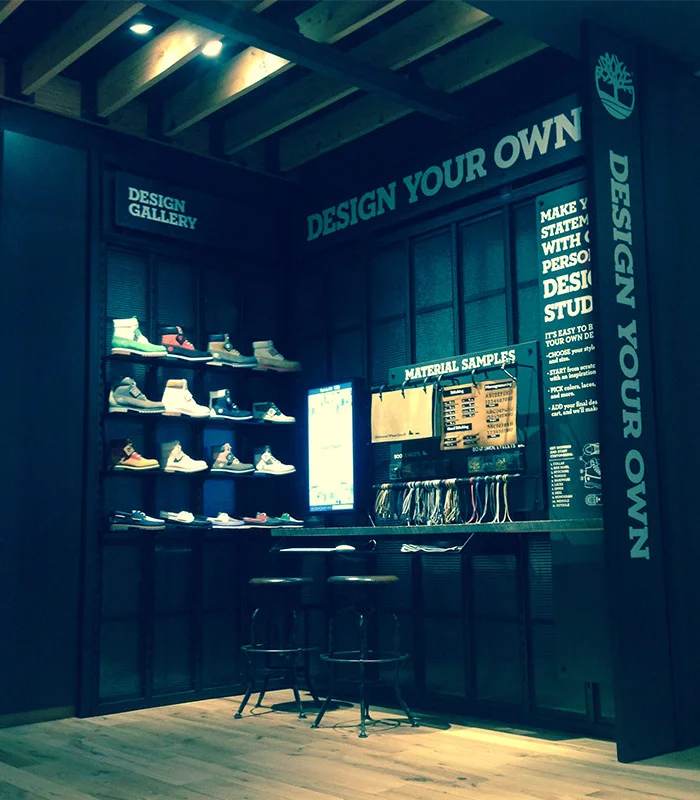
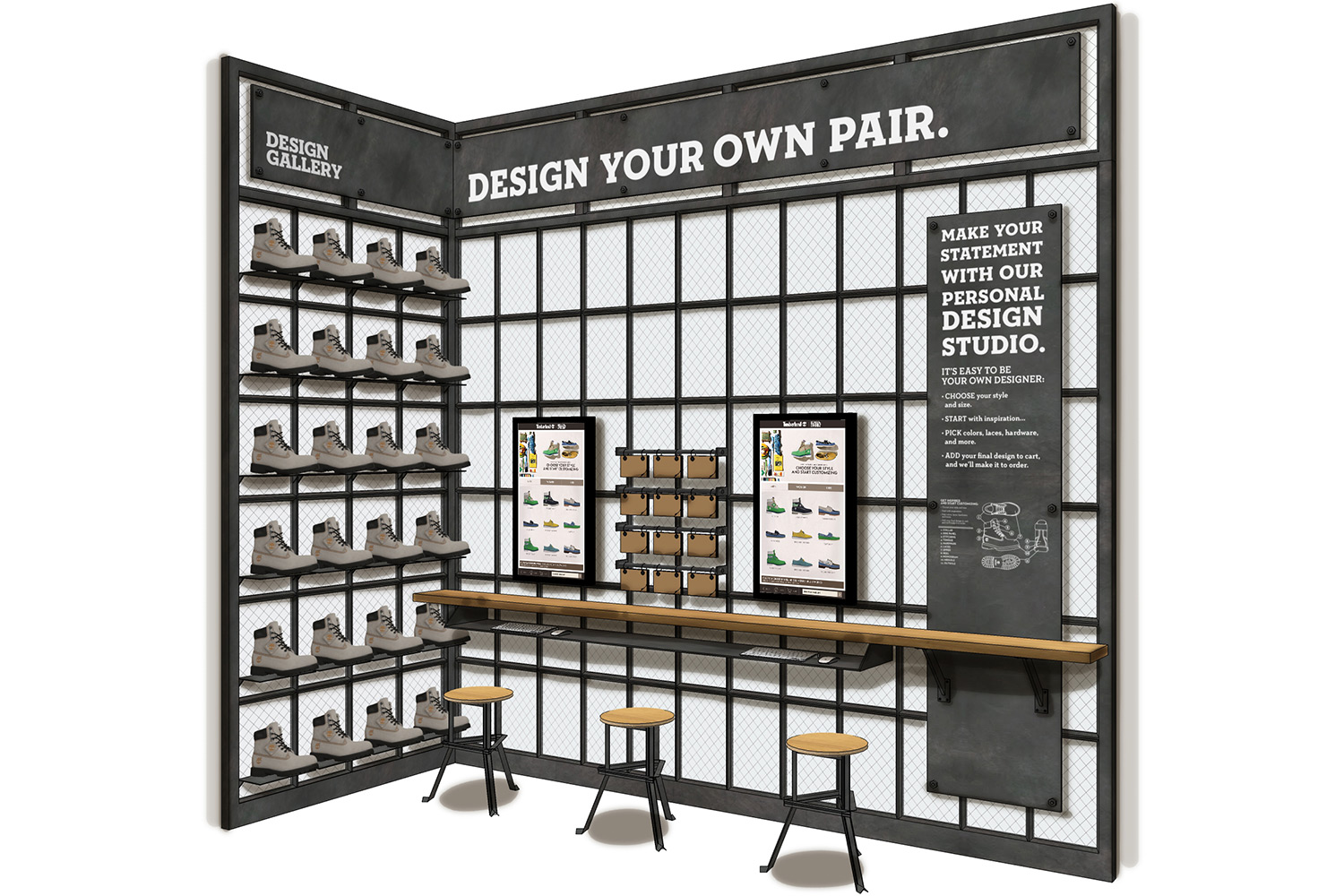
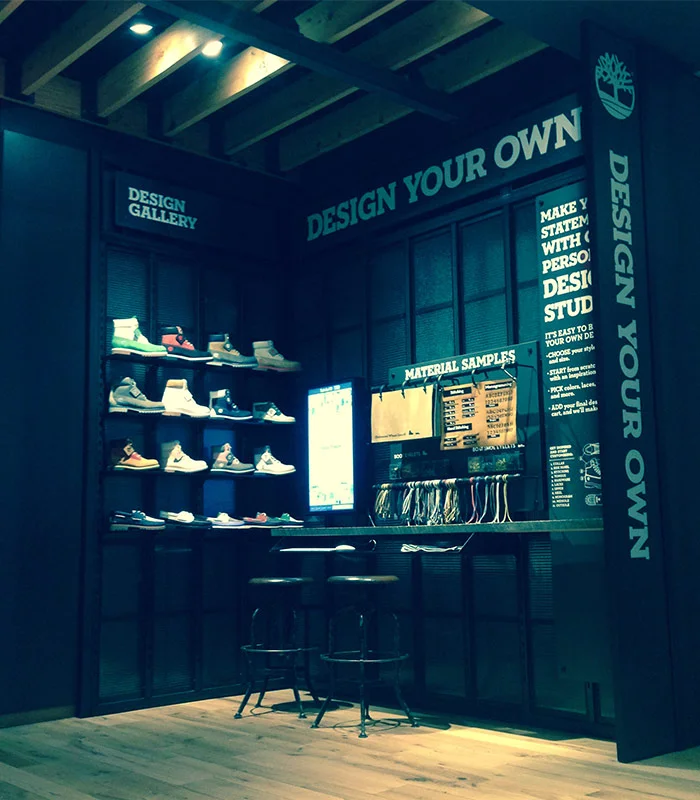
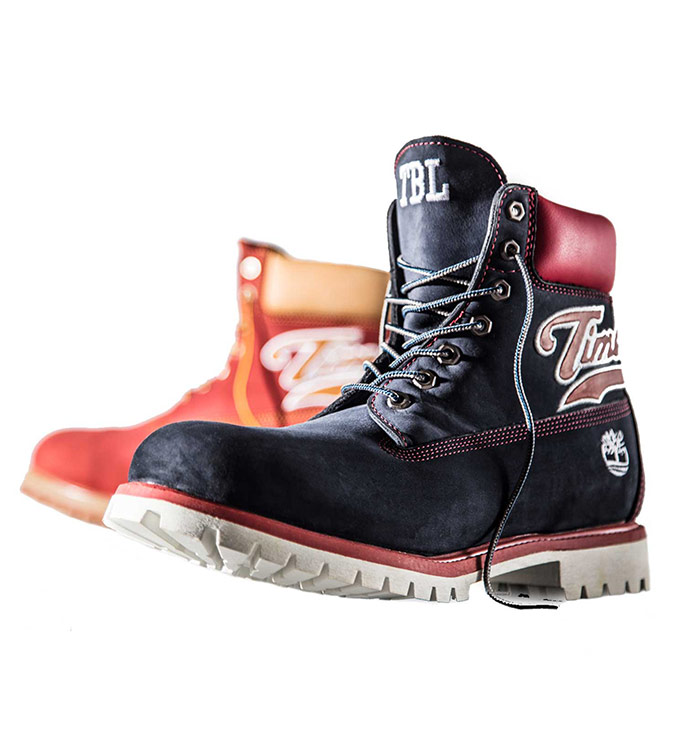

We created an immersive in-store experience that lets consumers design custom Timberland footwear. Integrated into the kiosk are physical samples of custom products and raw materials, which inspire consumers and let them feel the quality of the footwear. Vertical touch-screen monitors let consumers interact with the Design Your Own experience in a new way, empowering them to create a one-of-a-kind Timberland product.
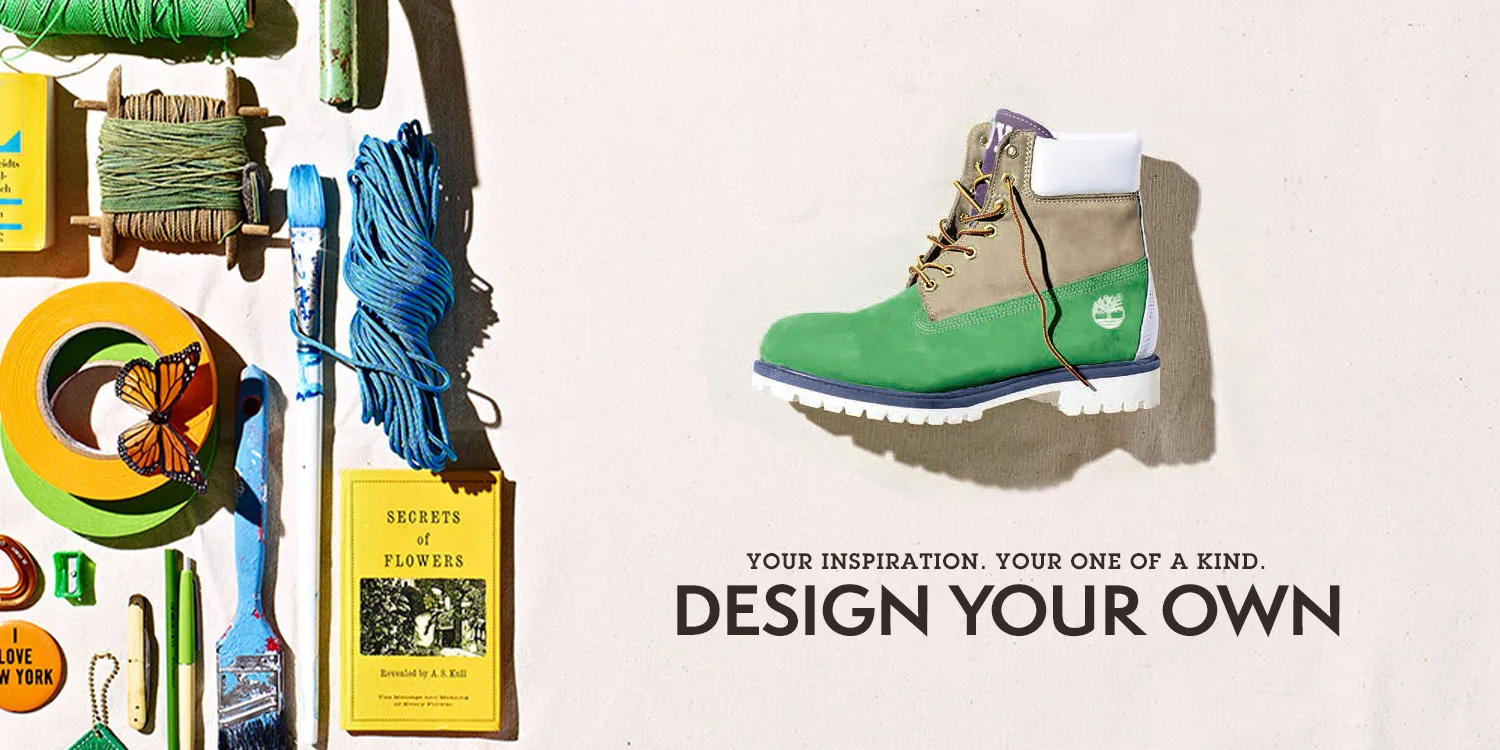
With a small budget and a tight timeline, the team was asked to elevate the in-store digital customization experience. Taking inspiration from the current custom footwear campaign, we used existing assets to create a kiosk screensaver that would use motion to draw consumers through the store to the kiosk area, educate them about the silhouettes available for customization and encourage consumers to design their own one-of-a-kind Timberland product.
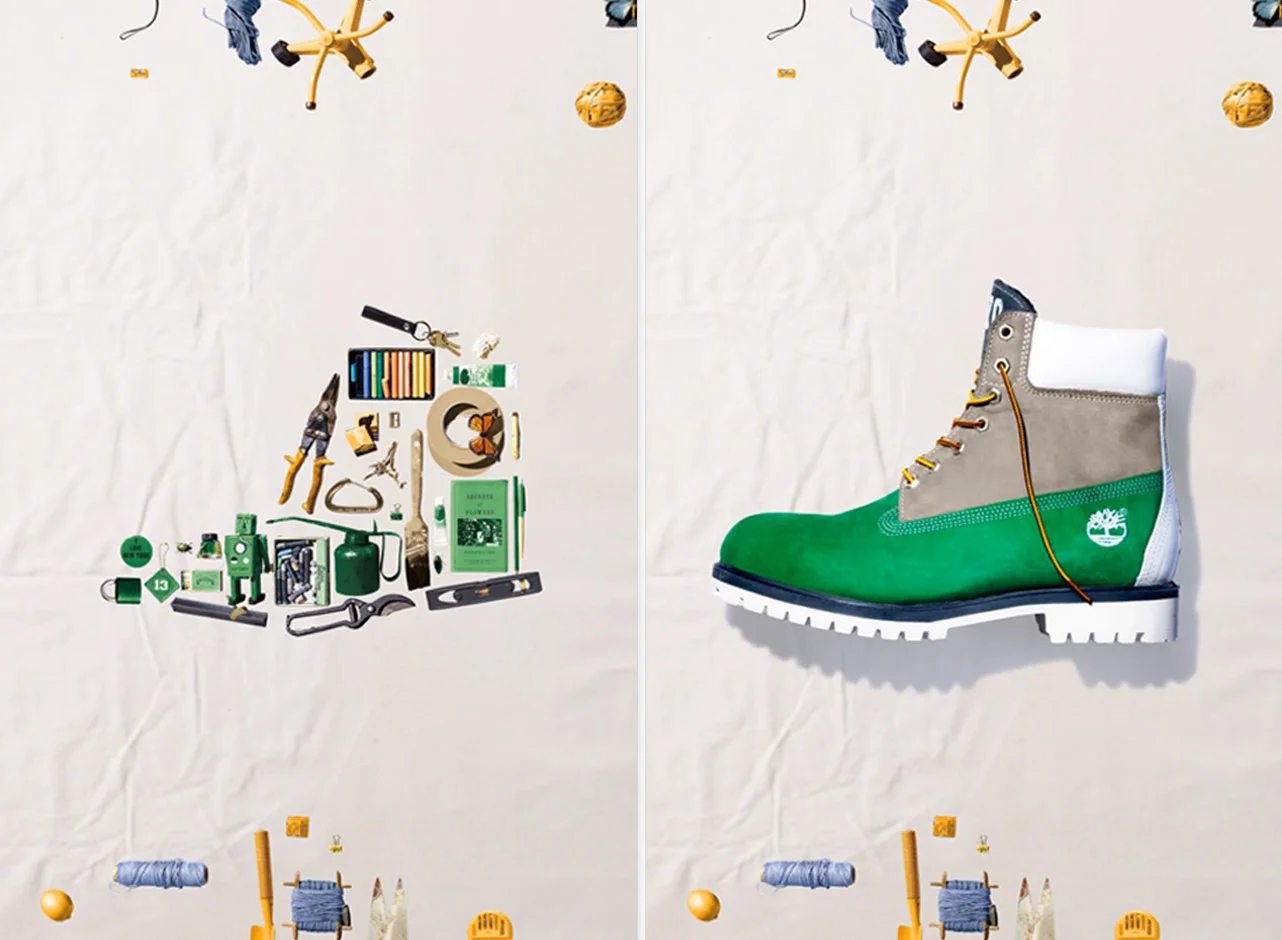
Objects that inspire us sit on top of a blank canvas backdrop. These inspirations move one at a time into the shape of each silhouette. With a pop the inspiration objects turn into the real custom boot. Pop again and the objects explode back to the top and bottom of the screen. The words "Touch To Start" appear in the center. After a few seconds, the inspiration objects move into the shape of another silhouette. The process repeats through our best selling 6" boot, classic boat shoe and the newest custom silhouette–the Hookset canvas summer shoe.
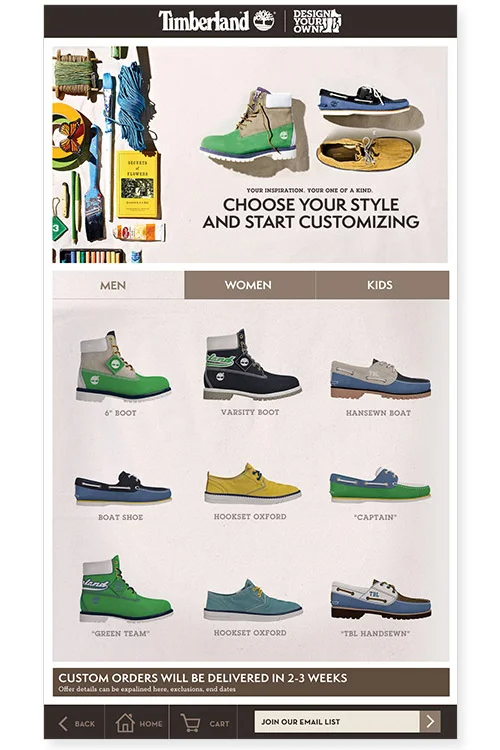
On touch anywhere on the screen, the consumer is taken to the customization experience where they can choose their style and create their own one-of-a-kind. Product silhouettes are sorted by gender and feature inspiration designs using seasonal colors. While in kiosk mode for security, consumers can customize, shop and checkout using the existing ecommerce capabilities.
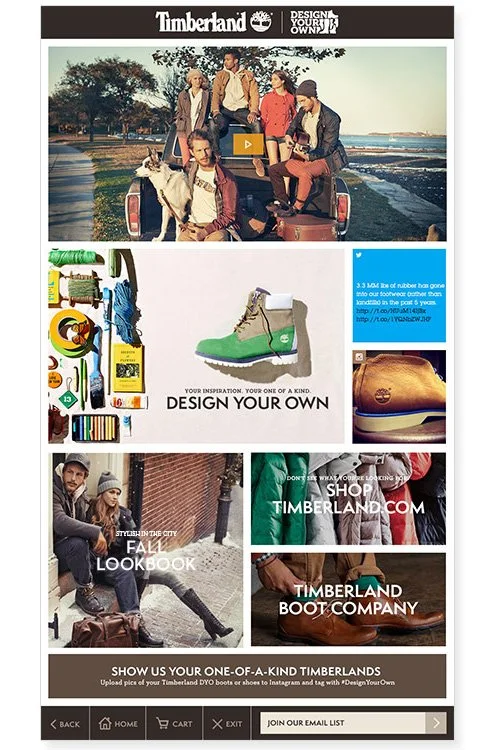
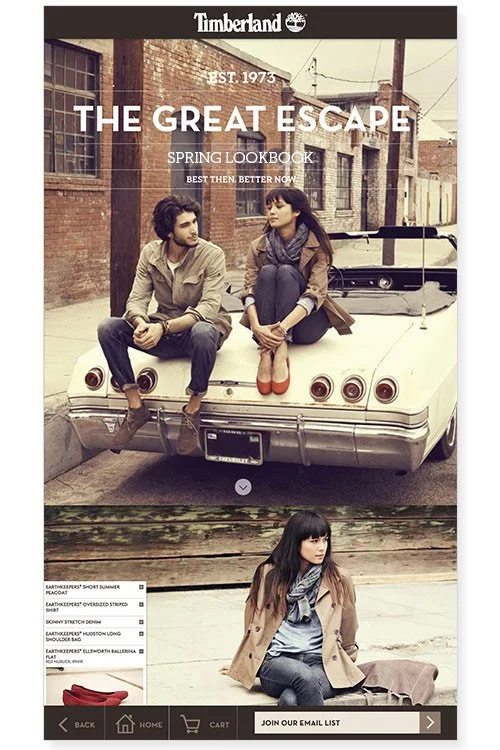
The home button brings consumers to a kiosk landing page where they can watch the latest Timberland videos, explore seasonal stories like lookbooks, key landing and collection pages, shop for products, colorways and sizes not available instore, or return to the customization experience.
Kiosk mode allows for security as well as a persistent footer throughout the experience. A cart button allows access to the cart at any time for easy checkout from any screen. Email signup is always available to increase instore email signups, a key target metric for store associates. There is an area to announce promotions, in-store events and localized information by store location. The exit button exits the session, deleting cookies, and returns to kiosk to screensaver mode.
The interactive kiosk experience was installed and tested in Timberland's Herald Square store before being rolled out to the other NA flagship locations. The kiosk was designed to accommodate a variety of store layouts with both single screen and double screen options.
THE TEAM
Digital Creative Director/Lead Designer: Ali Pike
Video Editor/Jr. Designer: Simeon Aswan
Lead Developer: Alex Koffler
Project Manager: Pat O'Keefe
Fixture Installation Lead: Keith Taylor
Fixture Production Coordinator: Jean Wood